
1. Access the User Portal
Navigate to the Orange Trail User Portal and log in with your credentials.
2. Create a New Request
Once on the Home Dashboard, look for the "New Requests" button (usually located in the top navigation or sidebar) to open the service menu.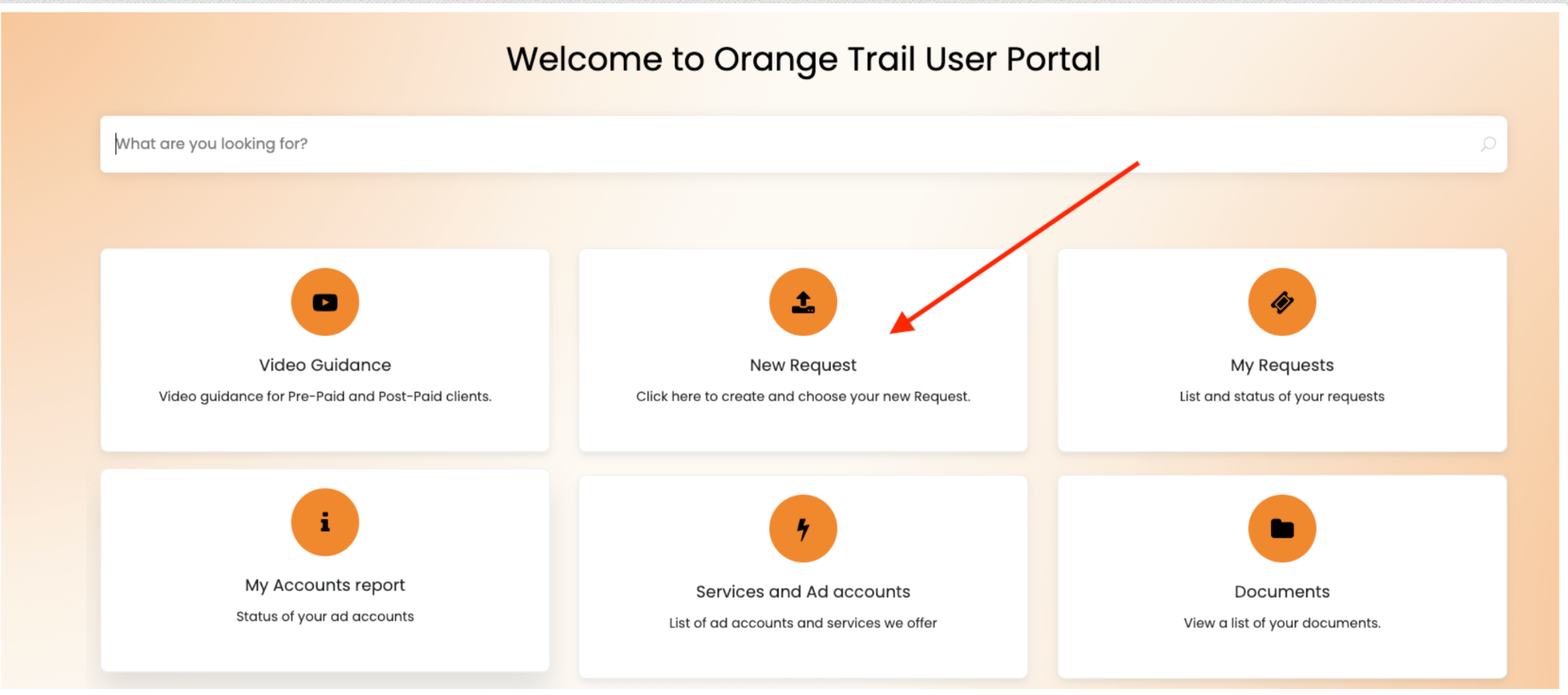
3. Select the Ticket Type
From the dropdown or list of available services, select Facebook Account Creation. This ensures your request is routed immediately to our Facebook Compliance and Ops team.
4. Complete the Request Form
Fill out the required fields in the form. To avoid delays, please ensure the following information is accurate:
- Account Name: The desired name for the new ad account.
- Target URL: The website or landing page you plan to advertise.
- Timezone/Currency: Specify your preferred settings for billing and reporting.
5. Submit and Track
Click Submit. You will receive a ticket number instantly. You can track the status of your account creation (e.g., "Pending Compliance Review," "In Progress," or "Completed") directly from your portal home screen.